In a current customer project we faced the issue that there were two executable processes – independent of each other. So far – so normal. But these two processes had to sync status here and there – so they were clearly related, but not by using a Call Activity. BPMN 2.0 allows this by communication via messages as shown in the following example. But how to keep track of this in monitoring? We developed a small cockpit plugin to show the related process instances – see below.
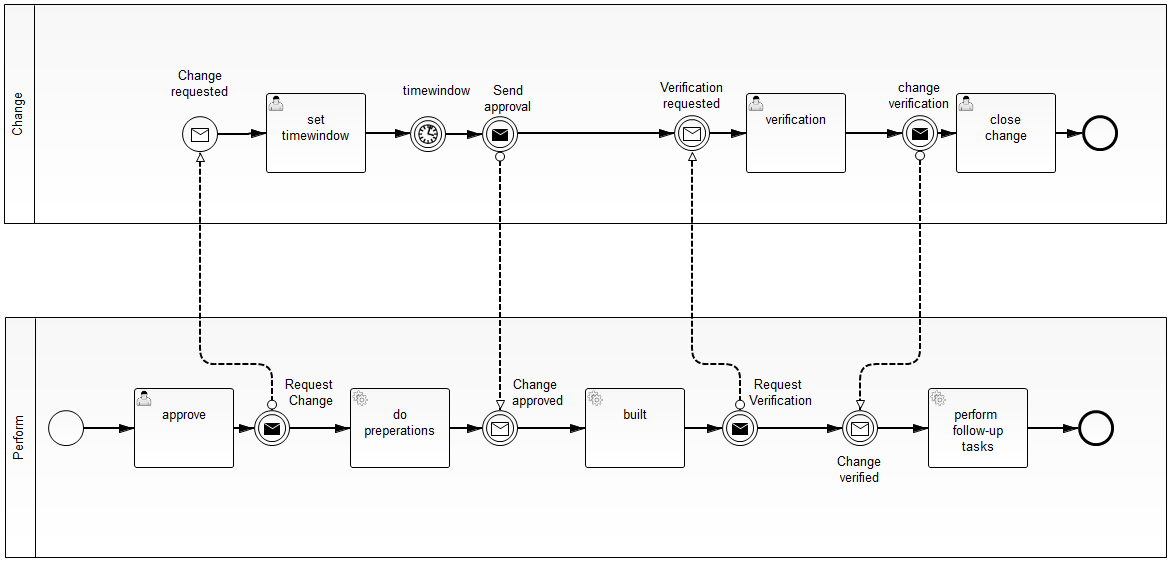
The process is in the area of IT infrastructure management, where changes are handled by multiple different change processes handled by different departments which are pretty autonomous. But actually for today’s post it is not really important what the process does. I can just add that I am pretty happy that Camunda is small enough to have much easier processes in place for IT infrastructure management (“Hey Stefan – get the wireless working please” ;-)).I used process variables (“callingProcess” and “calledProcess”) to remember which processes communicate with each other. I used this variables in a pretty straight forward cockpit plugin showing the related processes for a selected process instance (comparable to what we do out-of-the-box for call activities):
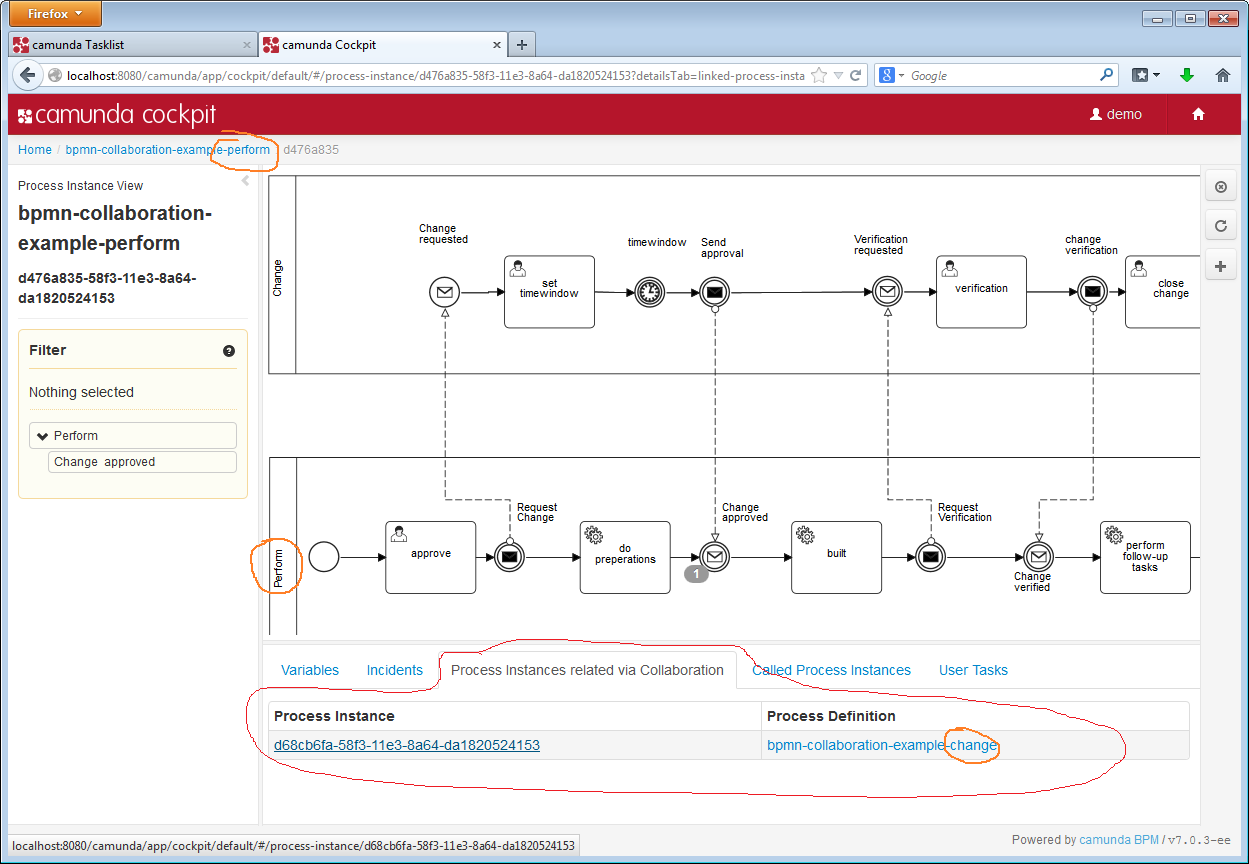
This makes it pretty easy to keep everything under control in operations. And the best: It took only a couple of minutes to write the plugin 🙂
Feedback always welcome – use our forum.